Winamp online, in your browser, nothing to install
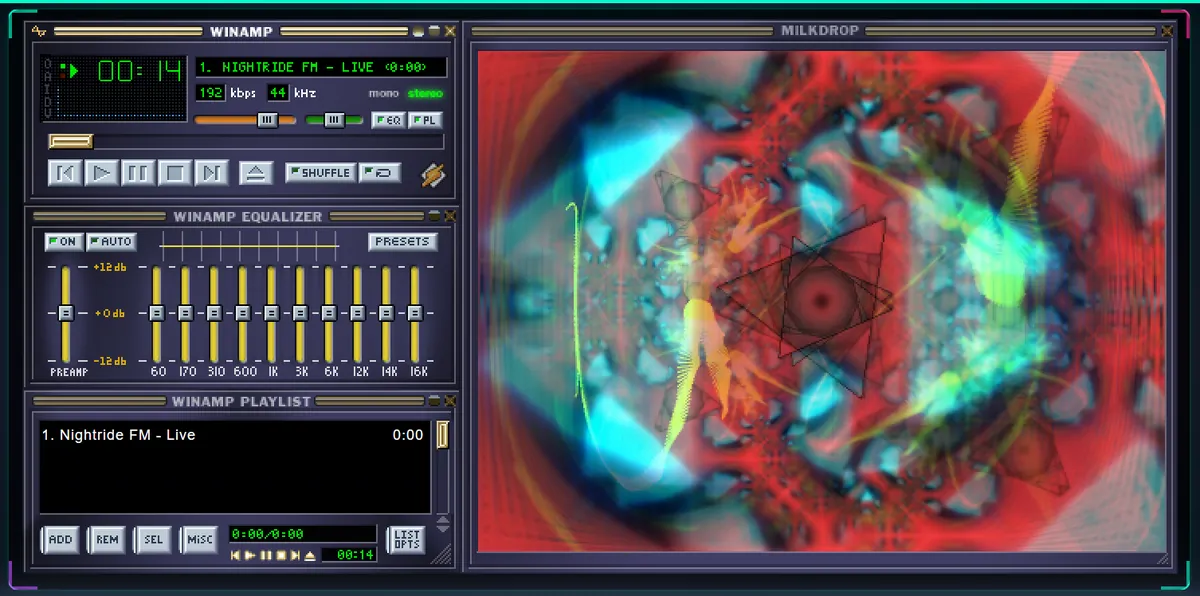
No installer, and no hunting for a version that still runs on your PC. Pulsar FM puts a Winamp 2 lookalike in a browser tab, tuned to 64 live radio stations, with Milkdrop reacting to the music.
What this actually is
The player is Webamp, an open-source rebuild of Winamp 2 in JavaScript. The visualizer is Butterchurn, a WebGL port of Milkdrop. Pulsar FM puts the two together and feeds them live radio: 64 stations in 8 genres, picked by hand. Worth saying up front: this isn't the official Winamp and has no connection to the brand. It's a tribute that happens to play music.
Milkdrop visualizer online
Milkdrop was the plugin that turned Winamp into a lava lamp with a sense of rhythm. Here it runs in the browser and reacts to whichever station is playing. The window waits until you press play; after that, TRIP takes it fullscreen. Headphones and low lights are up to you.
Winamp skins in the browser
The SKINS button opens 20 classic .wsz skins from the Winamp Skin Museum, and your browser remembers the choice. Changing the player's look used to mean dragging files into a folder called Skins. Now it's one click, which does take some of the romance out of it.
How to use it
- Open the player and pick a station from the grid, by genre or at random with the SCAN button.
- Star your favourites. They stay in this browser, no account involved.
- Use SKINS to change the look and FLOAT to drag the windows wherever you like.
- Hit TRIP to run Milkdrop in fullscreen.
- Falling asleep to it? SLEEP pauses the music after 15, 30 or 60 minutes.
Frequently asked questions
Can I use Winamp online without downloading anything?
Yes. Open Pulsar FM and the player loads in the tab, with nothing to install and no account. It's Webamp, a recreation of Winamp 2, so you get the look and the controls, not the old Windows program.
Is this the official Winamp?
No. Pulsar FM is an independent project built on the open-source Webamp and Butterchurn, and it has no connection to the Winamp brand.
How do I run the Milkdrop visualizer online?
Press play on any station and the Milkdrop window wakes up by itself. TRIP takes it fullscreen. It needs WebGL, which current browsers already have.
Can I change the Winamp skin?
Yes. The SKINS button lists 20 classic skins and your choice stays saved in this browser. No hunting for .wsz files.
Does it work on a phone?
Yes, with the same stations. Milkdrop runs too, although on a small screen it's more of a party trick than the main event.